
Computers & the Internet, Computer Animation
Log in to track your reading progress.
Synopsis
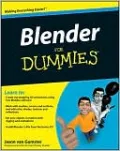
Create 3D models and realistic scenes, and get animated with Blender!
Blender can do all the cool 3D things, but trying to figure it out on your own can make you feel as if you're in a blender. Relax! This book takes Blender step by step. First, you learn to think the Blender way. Then you start modeling, adding materials, lighting, rigging, and animating. Soon you'll be sharing your creations with the world!
- Become a Blenderhead — find out how Blender "thinks" and learn your way around the program
- Develop detailed 3D scenes — create almost anything with meshes, save time with modifiers, and make the best use of Blender's other object types
- Lights and texture — understand texture mapping, use different lamp types, and take advantage of ambient occlusion
- Give it life — rig your characters for animation with shape keys, hooks, and armatures, and understand inverse kinematics
- Get it out there — understand exporting, rendering, compositing, and editing for output
Open the book and find:
- Why Blender is perfect for small shops and independent artists
- How to navigate in three dimensions
- Ways to make animations more believable
- How to color vertices and provide texture
- Tips on making Blender do the animating for you
- What particle systems do
- Ten common problems new users face
- How to work with the video sequence editor
Bonus CD Includes
Blender 2.48a complete version! Save download time and install the version you'll use for this book.
See the CD appendix for details and complete system requirements.
Book Details
Published
February 1, 2009
Publisher
Wiley, John & Sons, Incorporated
Format
Paperback
ISBN
9780470400180