
Desktop Publishing, Adobe Software - Other Graphics Software
Log in to track your reading progress.
Overview
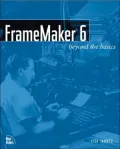
Framemaker 6: Beyond the Basics discusses holistic approaches that save time, solve problems globally, and make creative uses of FrameMaker's features. Since FrameMaker is intended for large document creation, this approach is advantageous, even critical. Through real-world scenarios, the book explores typical tasks technical document creators perform daily. Each chapter provides principles and techniques needed to perform each task, along with tips on best practices and how to achieve repeatable outcomes. Rather than covering everything about the software, the book focuses on the challenges FrameMaker users face, helping them apply efficient, innovative solutions.
Editorials
A handbook on the use of the document-publishing features of the FrameMaker software, written for intermediate to advanced users. The focus is on allowing users who already use FrameMaker on a daily basis to optimize the advantages of the software. Topics include the automation of texts, tabs, graphics, and numbering; the use of headers and footers; the integration of cross references; the use of tables; building book files; table of contents architecture; conditional text; document conversion; and common problems. The text is written from a Windows perspective. Annotation c. Book News, Inc., Portland, OR (booknews.com)
Book Details
Published
August 17, 2001
Publisher
New Riders
Pages
412
Format
Paperback
ISBN
9780735711082