
Video - Direction & Production, Video - Multimedia Technology, Other Applications and Techniques - Multimedia Technology, Video Technology, Television - Production & Professional
Log in to track your reading progress.
Overview
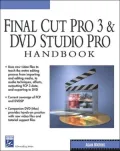
With recent advances in technology, the exciting realms of digital editing and DVD authoring are now within reach of most graphics professionals. Until now, editing and rendering animations to fit on VHS and compressing digital images for delivery meant sacrificing quality. But with Apple Final Cut Pro 3, DVD Studio Pro, and the practical guidance found in this book, designers and animators can edit and deliver their creations with excellent results. Written for graphics professionals, animators, video artists, and users of Final Cut Pro and other popular video packages (iMovie, iDVD, Premiere), the Final Cut Pro 3 and DVD Studio Pro Handbook provides hands-on practice for the entire digital editing process. The book is broken into two main parts. Part One provides an in depth look at FCP and basic cinematography and editing concepts. It includes a detailed review of non-linear digital video editing (NLDVE), outlines the technical specifications for DVD, and provides a comprehensive overview of Final Cut Pro 3. From there the book delves into the process of editing and delivering media productions. Using raw video files from the book?s companion DVD, users work through every step of the editing process, from importing and editing media, to audio techniques, effects, outputting FCP data, and exporting to DVD. In Part Two, users learn how to use the core features of DVD Studio Pro, such as creating compressed media, importing streaming media, designing still and motion based menus, adding fully functional interactivity, and integrating subtitles.Editorials
Explains how to edit video on a computer with Apple's Final Cut Pro editing suite, and burn DVD copies of the final product with DVD Studio Pro. Tutorials walk step-by-step through the process of logging and capturing footage, layering multiple tracks, placing sequences within sequences, embedding alpha channels, and creating a DVD menu in Photoshop. The DVD contains media files for the tutorials. Annotation c. Book News, Inc., Portland, OR
Book Details
Published
September 5, 2002
Publisher
Charles River Media
Pages
382
Format
Paperback
ISBN
9781584502005